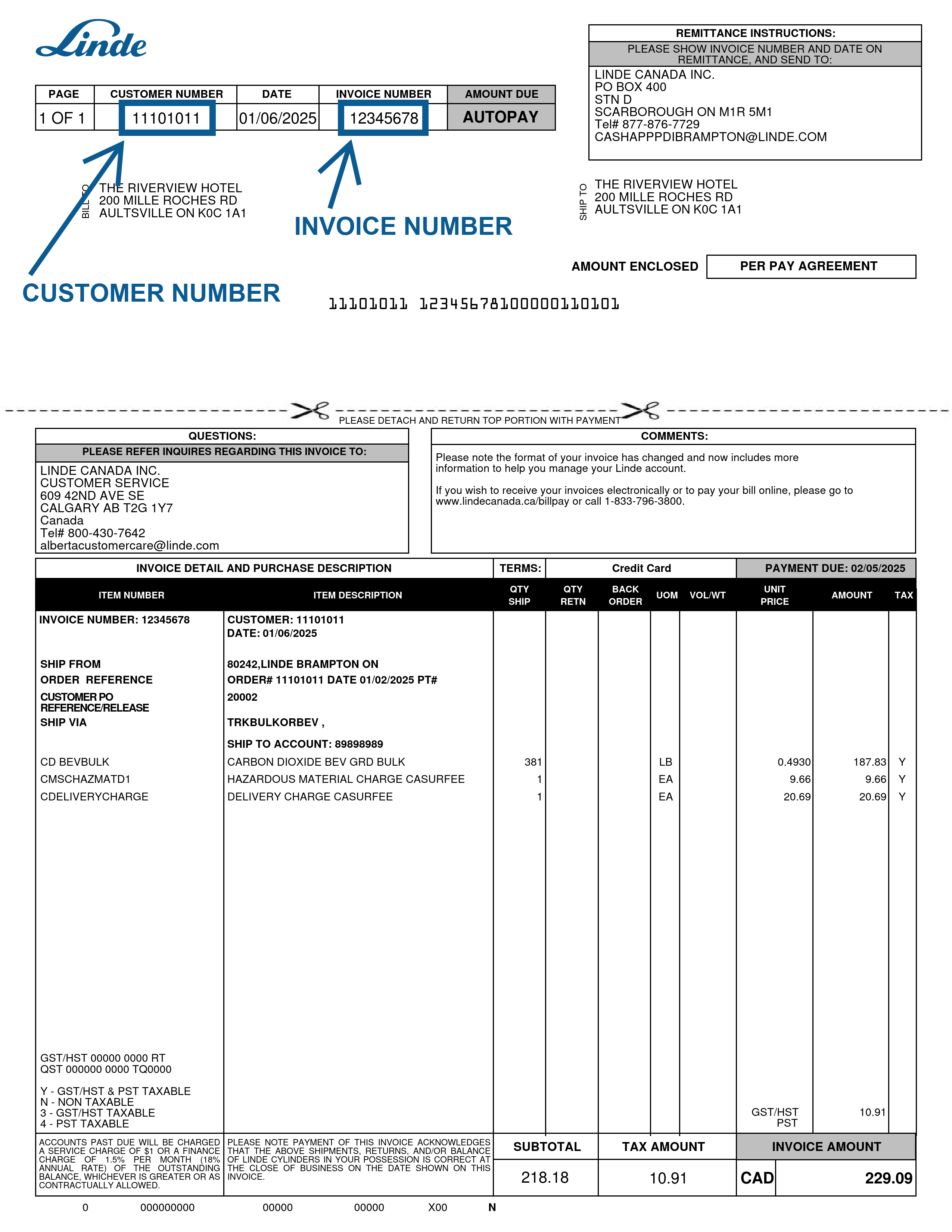
At Linde, we protect your account information. To register for online access, you need to supply information from a Linde document. If you don't have a document to hand, please contact us via our online contact form. To proceed with the registration, please choose one of the options below. Please note that the document must not be older than 12 months. To access invoice history and account balance, you must register with an invoice and your bill-to account number.
To register as an existing customer you need to provide information from a previous document no older than 12 months. Please choose the document you have.
No documents?
To register yourself, you will need data that can be found on a Linde Canada sales document. This way we can ensure that the correct user account will be created for each customer.
If you are a customer of Linde Canada without the requested documents, we recommend you to contact our Customer Service via our online contact form
Register with postal code
Register with a document number
Registering with an order number allows you to:
View and pay invoices.
Export invoice history to Excel or as a CSV.
Check account balances & statements.
Download account statements.
View the online catalogue.
Place online orders & view deliveries.
Download documents.
Check and manage cylinder balances.
View frequently ordered products.
Re-order products.
Create lists of favourite products.
Automate orders.
View purchasing history.
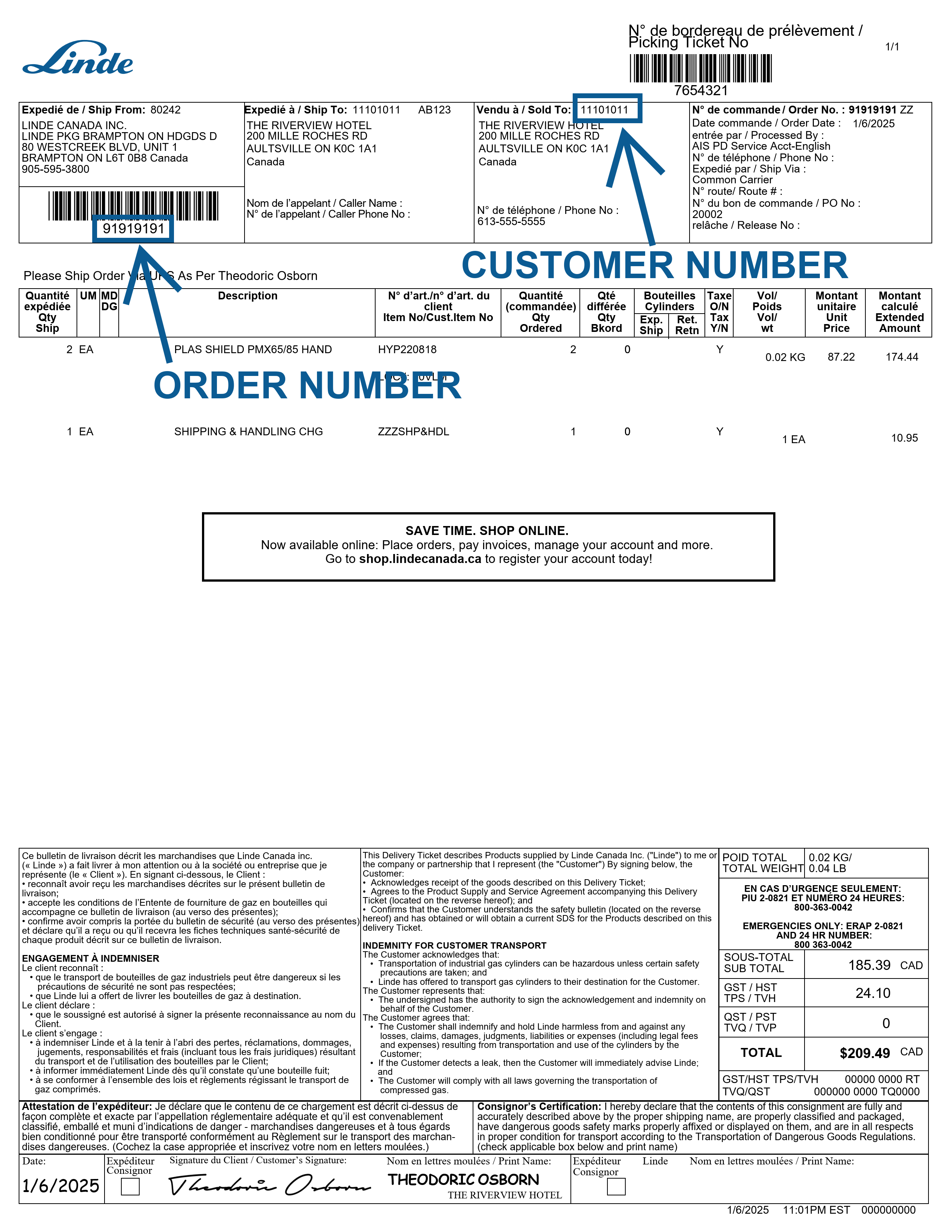
Where can I find the order and customer numbers?
The Linde order and customer numbers are located at the top of the order document.
The Linde order number can be found at the top of left, under the left barcode.
The Linde customer number is at the top of the third boxed section, where it says "Vendu à / Sold to:".
Did you know that your internet browser is out of date?
To access our new website, please download the latest version of Internet Explorer, Firefox, Chrome, or Safari. Alternatively, you can visit us through a mobile device (smart phone or tablet).